
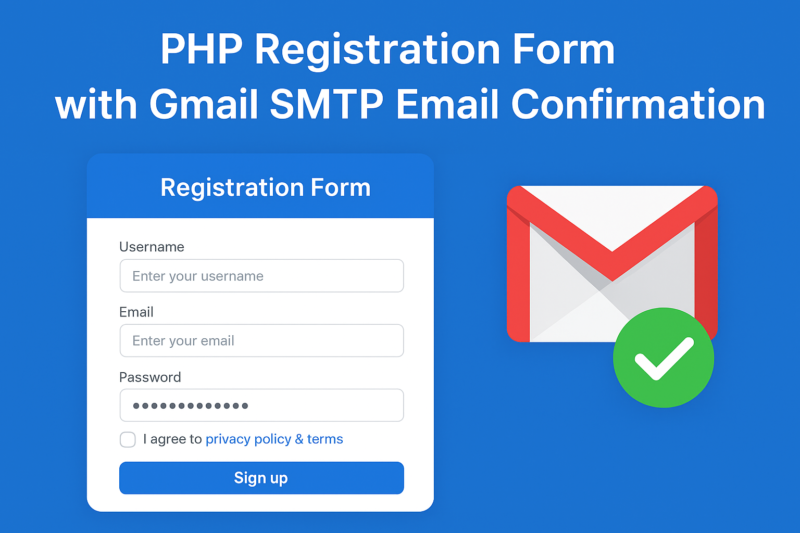
Building a secure and user-friendly registration system is one of the most common requirements in web development. In this tutorial, we’ll create a registration form in PHP that:
- Accepts username, email, and password
- Validates for unique username and email
- Stores passwords in a secure hashed format
- Sends a confirmation email using Gmail SMTP with PHPMailer
- Uses AJAX for smooth form submission without reloading the page
By the end, you’ll have a working system that can be integrated into any website.
Step 1: Database Setup
Create a table in MySQL to store users:
CREATE TABLE users (
id INT AUTO_INCREMENT PRIMARY KEY,
username VARCHAR(50) UNIQUE,
email VARCHAR(100) UNIQUE,
password VARCHAR(255),
created_at TIMESTAMP DEFAULT CURRENT_TIMESTAMP
);
Step 2: Database Connection File
It’s best practice to keep database settings in a separate file (db_config.php):
<?php
$host = "localhost";
$user = "root";
$pass = "";
$db = "test_db";

$conn = new mysqli($host, $user, $pass, $db);

if ($conn->connect_error) {
die("Database Connection failed: " . $conn->connect_error);
}
?>
Step 3: HTML Registration Form
Here’s a simple Bootstrap-styled form:
<form id="formAuthentication" method="POST">
<div class="mb-3">
<label for="username" class="form-label">Username</label>
<input type="text" class="form-control" id="username" name="username" required>
</div>
<div class="mb-3">
<label for="email" class="form-label">Email</label>
<input type="email" class="form-control" id="email" name="email" required>
</div>
<div class="mb-3">
<label for="password" class="form-label">Password</label>
<input type="password" class="form-control" id="password" name="password" required>
</div>
<button type="submit" class="btn btn-primary">Sign Up</button>
</form>

<div id="resultMessage" class="mt-3"></div>
Download PHP Registration form
Step 4: Registration Logic with PHPMailer (Gmail SMTP)
In registration.php, we handle validation, database insertion, and sending emails:
Gmail SMTP detail file (db_config.php)
<?php
 // SMTP settings
$mail->isSMTP();
$mail->Host       = 'smtp.gmail.com';
$mail->SMTPAuth   = true;
$mail->Username   = '';   // your Gmail
$mail->Password   = '';     // Gmail App Password
$mail->SMTPSecure = 'tls';                   // or PHPMailer::ENCRYPTION_STARTTLS
$mail->Port       = 587;

?>
<?php
header("Content-Type: application/json");
include 'db_config.php';

use PHPMailer\PHPMailer\PHPMailer;
use PHPMailer\PHPMailer\Exception;

require 'vendor/autoload.php'; // If installed via Composer

$response = ["status" => "error", "message" => "Something went wrong!"];

if ($_SERVER["REQUEST_METHOD"] == "POST") {
$username = trim($_POST['username']);
$email = trim($_POST['email']);
$password = trim($_POST['password']);

// Validate inputs
if (empty($username) || empty($email) || empty($password)) {
$response["message"] = "All fields are required!";
echo json_encode($response);
exit;
}

// Check for duplicate username/email
$checkUser = $conn->prepare("SELECT id FROM users WHERE username=? OR email=?");
$checkUser->bind_param("ss", $username, $email);
$checkUser->execute();
$checkUser->store_result();

if ($checkUser->num_rows > 0) {
$response["message"] = "Username or Email already exists!";
echo json_encode($response);
exit;
}

// Hash password
$hashedPassword = password_hash($password, PASSWORD_BCRYPT);

// Insert into database
$stmt = $conn->prepare("INSERT INTO users (username, email, password) VALUES (?, ?, ?)");
$stmt->bind_param("sss", $username, $email, $hashedPassword);

if ($stmt->execute()) {
// Send confirmation email
$mail = new PHPMailer(true);
try {
$mail->isSMTP();
$mail->Host = 'smtp.gmail.com';
$mail->SMTPAuth = true;
$mail->Username = 'yourgmail@gmail.com';
$mail->Password = 'your-app-password';
$mail->SMTPSecure = 'tls';
$mail->Port = 587;

$mail->setFrom('yourgmail@gmail.com', 'Your Website');
$mail->addAddress($email, $username);
$mail->Subject = "Registration Successful!";
$mail->Body = "Hello $username,\n\nYour registration was successful.\n\nRegards,\nYour Website Team";

$mail->send();
$response = ["status" => "success", "message" => "Registration successful! Please check your email."];
} catch (Exception $e) {
$response["message"] = "Registered, but email could not be sent. Error: {$mail->ErrorInfo}";
}
} else {
$response["message"] = "Database error: " . $stmt->error;
}

$stmt->close();
}

$conn->close();
echo json_encode($response);
Step 5: AJAX Form Submission
Instead of refreshing the page, we’ll send data via AJAX:
<script src="https://code.jquery.com/jquery-3.6.0.min.js"></script>
<script>
$(document).on("submit", "#formAuthentication", function(e){
e.preventDefault();
$.ajax({
url: "registration.php",
type: "POST",
data: $(this).serialize(),
dataType: "json",
success: function(response){
let msgBox = $("#resultMessage");
if(response.status === "success"){
msgBox.html('<div class="alert alert-success">'+response.message+'</div>');
$("#formAuthentication")[0].reset();
} else {
msgBox.html('<div class="alert alert-danger">'+response.message+'</div>');
}
},
error: function(xhr){
$("#resultMessage").html('<div class="alert alert-danger">Server Error: '+xhr.responseText+'</div>');
}
});
});
</script>
Step 6: Gmail Setup for SMTP
- Since Google no longer allows less-secure apps, you must use an App Password:
- Enable 2-Step Verification in your Google account.
- Go to Security → App Passwords.
- Generate a new password (select “Mail” and “Other”).
- Use this App Password in $mail->Password.
Conclusion
You’ve now built a secure PHP registration system with:
✅ User input validation
✅ Unique username & email enforcement
✅ Password hashing for security
✅ Gmail SMTP email confirmation via PHPMailer
✅ Smooth AJAX submission
This setup ensures a professional and secure user registration flow for your web applications.
